Flipper Plugins
When you create or debug standard Android Views, you can use the 'Layout Preview' and the 'Layout Inspector' tools from Android Studio. However, since Litho operates with different UI primitives, such as 'Components' and 'Sections', those standard tools are not very useful in such cases.
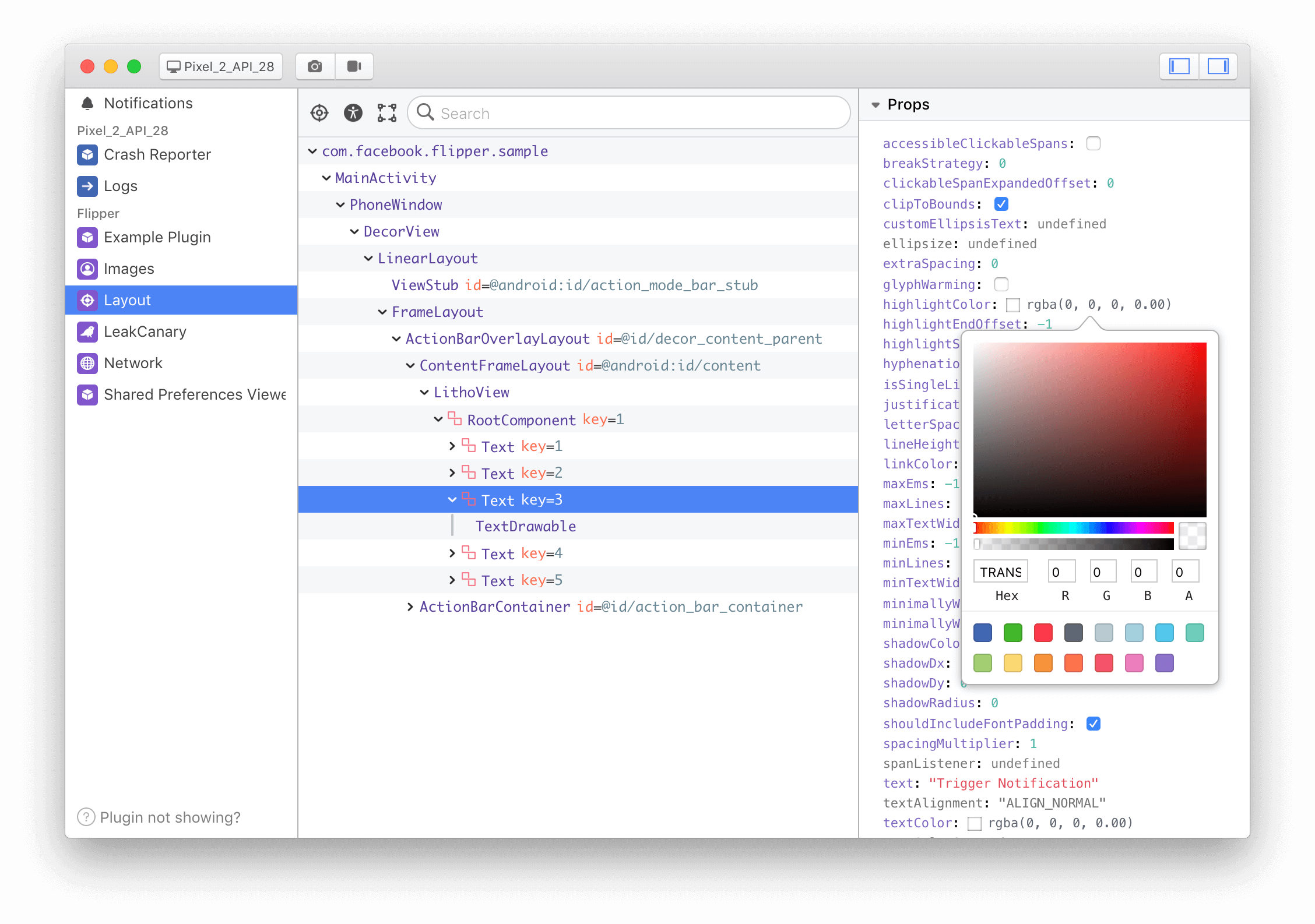
Fortunately, there is Flipper, an extensible mobile app debugger whose Layout Inspector plugin gives you an ability to tweak and inspect your UI in runtime and supports Litho.
With Flipper, you'll be able to:
- Access the full UI hierarchy.
- Inspect Litho Components as well as Views.
- Change values for View attributes or Component props in a currently running app without rebuilding it.
The following screenshot shows the Flipper plugin in action.
Adding Flipper and Litho Layout plugins to your project
To add Flipper and Litho plugins to your app, you need to take the following steps:
dependencies {debugImplementation 'com.facebook.flipper:flipper:0.142.0'debugImplementation 'com.facebook.flipper:flipper-litho-plugin:0.142.0'}
Init FlipperClient with the Inspector plugin, which is typically done in the custom Application class:
final FlipperClient client = AndroidFlipperClient.getInstance(mApplicationContext);
final DescriptorMapping descriptorMapping = DescriptorMapping.withDefaults();
LithoFlipperDescriptors.add(descriptorMapping);
client.addPlugin(new InspectorFlipperPlugin(mApplicationContext, descriptorMapping));
client.start();
You can read more about the Layout Inspector in the Layout Plugin Setup page of the Flipper Documentation web site.
Sections plugin
Another Litho plugin that is useful for debugging legacy Sections-based lists is the 'Sections' plugin.
With Sections, you can:
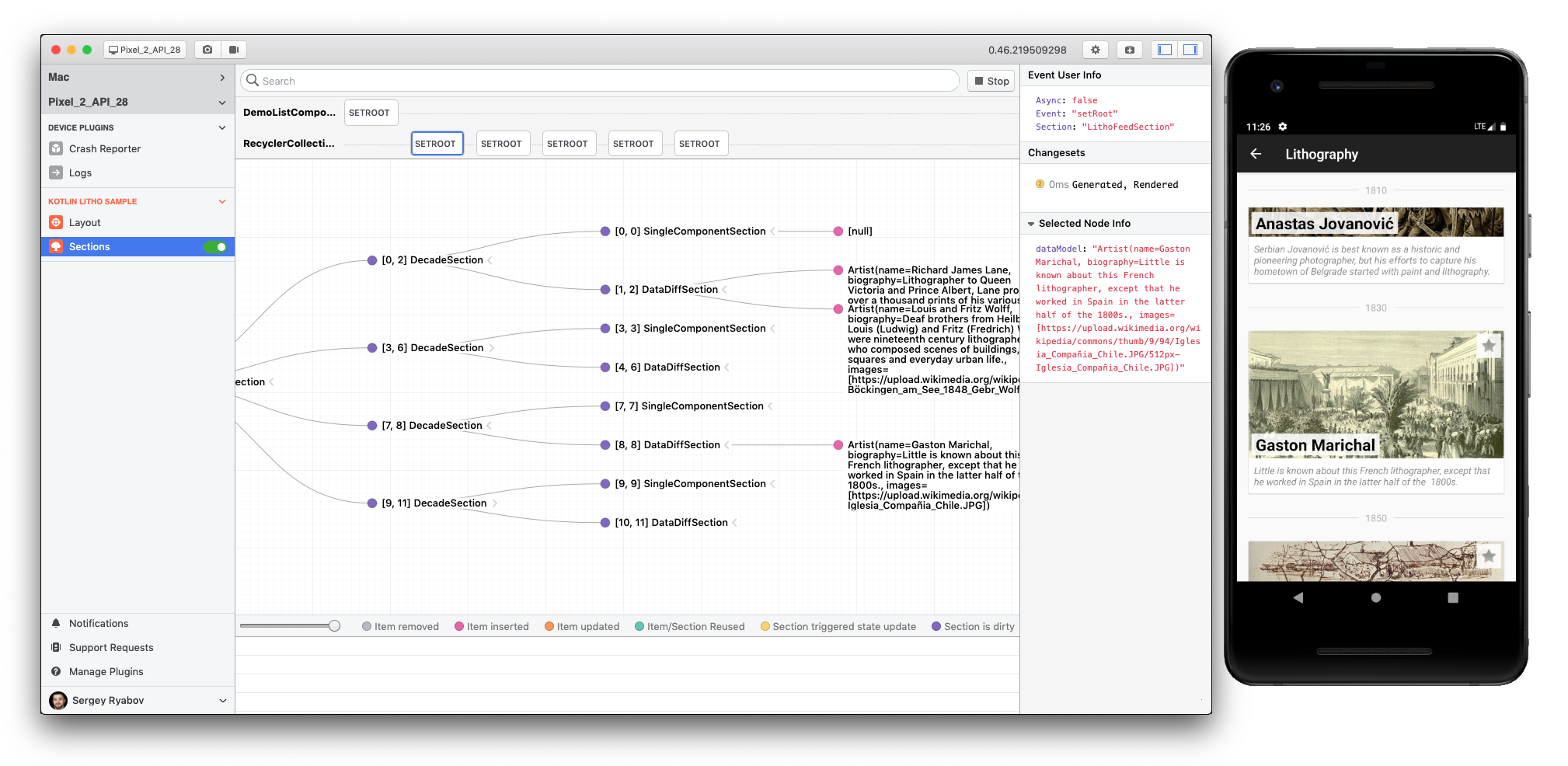
- Uncover the flow of state changes for lists backed by the legacy Sections API.
- Visualise these changes such as which items were added, reused, or deleted.
- Show the data corresponding to the specific Section.
For modern Lazy Collections (LazyList, LazyGrid), use the standard Layout Inspector. The Sections plugin is specifically for legacy Sections-based lists. For more information on Sections, see Sections Basics.
The following screenshot shows the Sections plugin in action.
To enable the Sections plugin in your app, you need to add the following line in addition to the general Flipper configuration:
client.addPlugin(new SectionsFlipperPlugin(true));